Day-to-day operations on one screen
The Dashboard, reservations and cleaning. You open Ubyo in the morning and know who is arriving today, what needs cleaning and what is still to be reported.
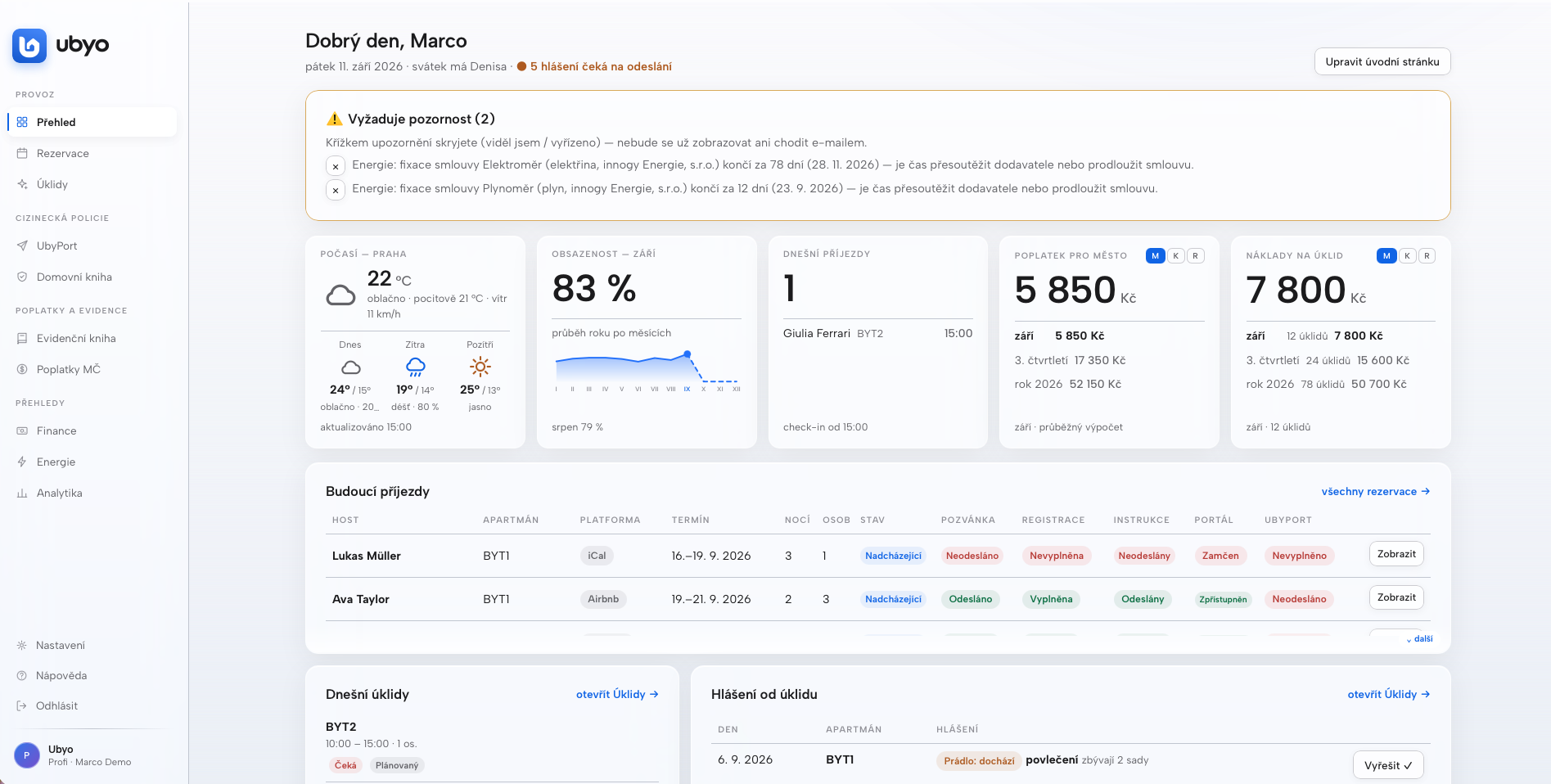
A home screen you put together yourself
The Dashboard is the first thing you see after signing in. At the top are the things that need attention: energy fixed terms running out, guests not yet reported, a cleaning waiting. Below them the panels: today’s arrivals, the month’s occupancy, the municipal tax, cleaning costs, the weather.
You add, remove and rearrange the panels and banners according to what interests you. There is a wide choice of features and reports to show. The cross hides a notice, and it stops arriving by e-mail too.
Airbnb, Booking and manual reservations in one place
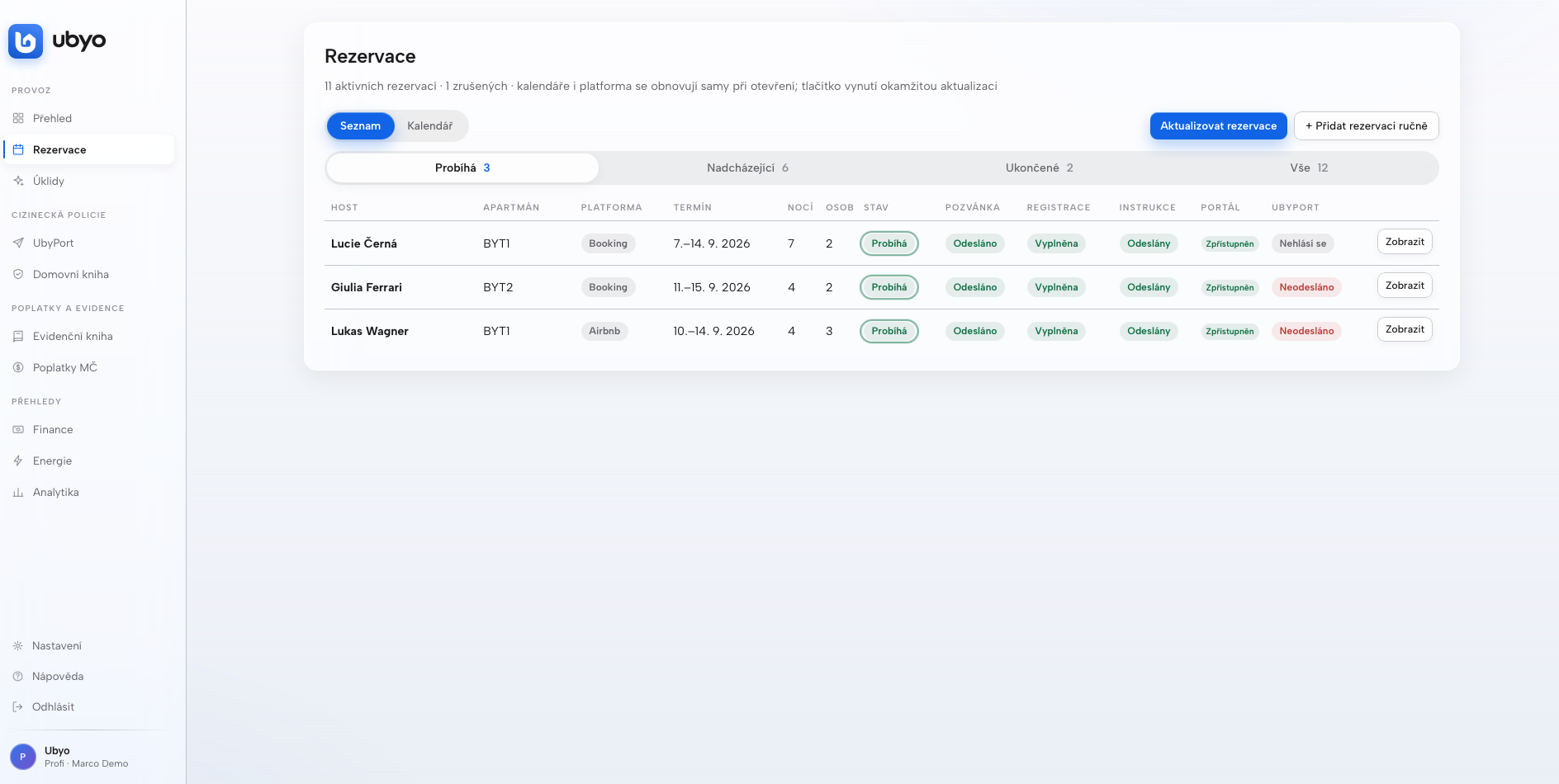
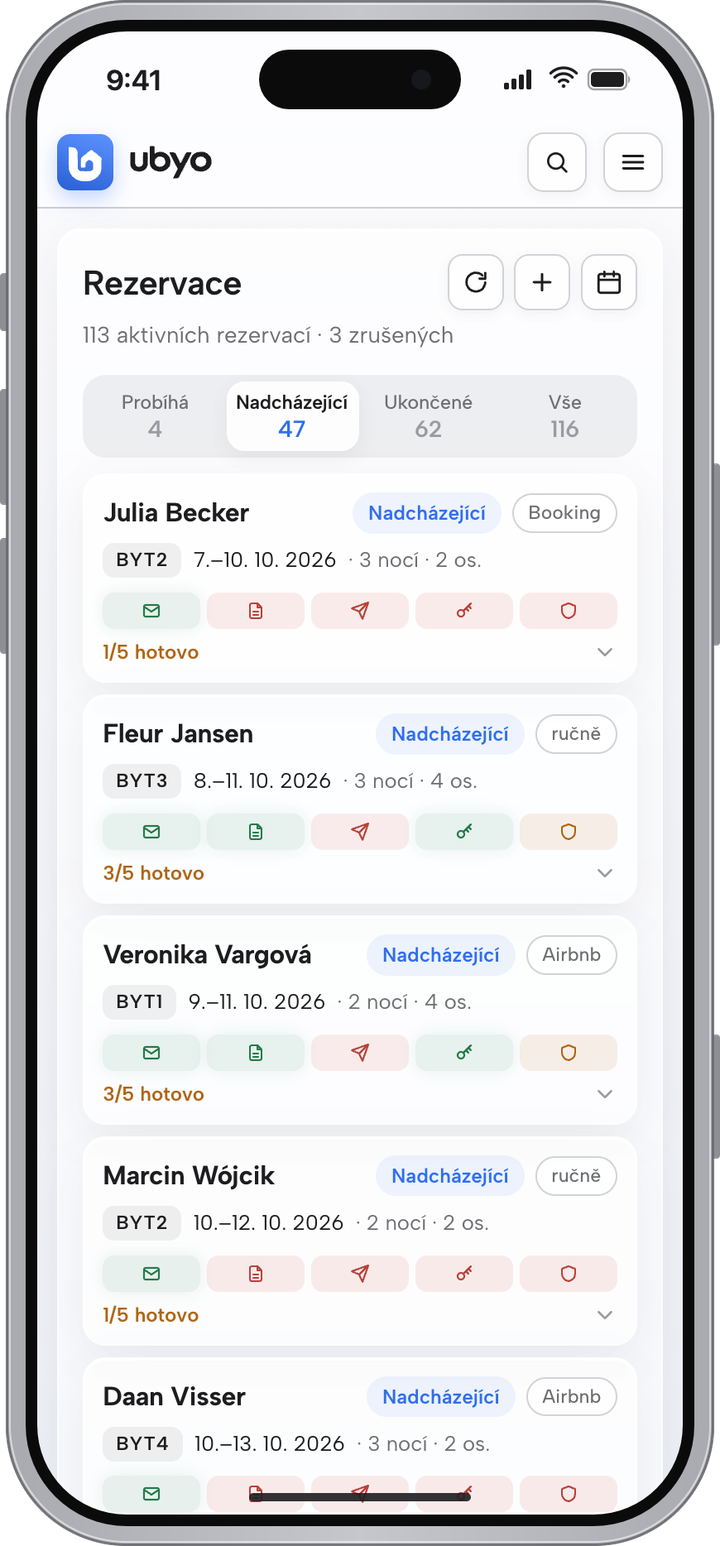
You paste the platform’s iCal link and the reservations load. Calendars and platforms refresh themselves when you open the app, and a button forces an immediate update. A manual reservation for a guest who phones takes a minute.
You filter the reservations: current, upcoming, finished, all. Each one carries a row of tags: the invitation, the registration, the instructions, the portal, UbyPort. Red means “still to do”, green means “done”. A list or a calendar, whichever suits you.
The cleaning schedule and a portal for your cleaning team
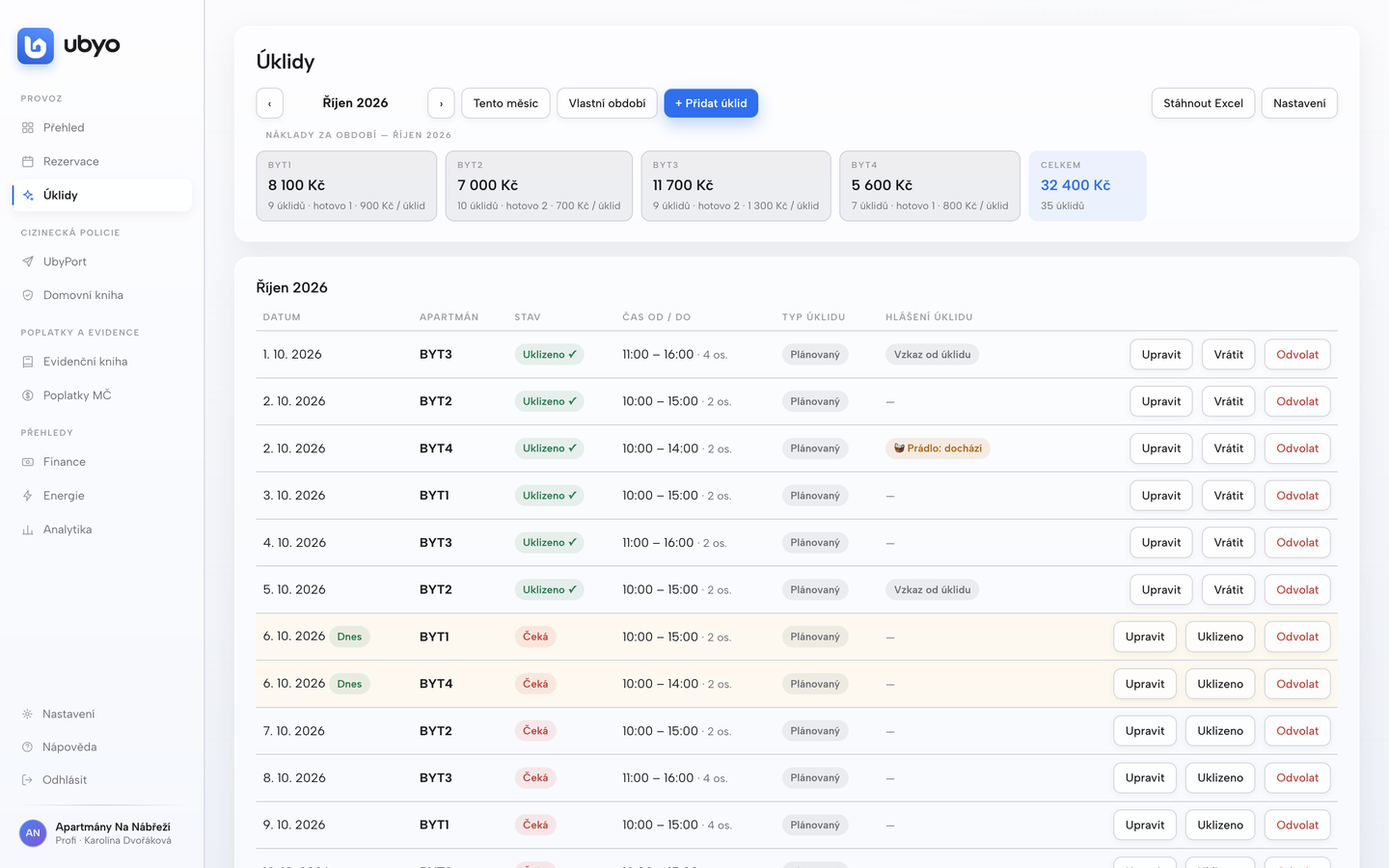
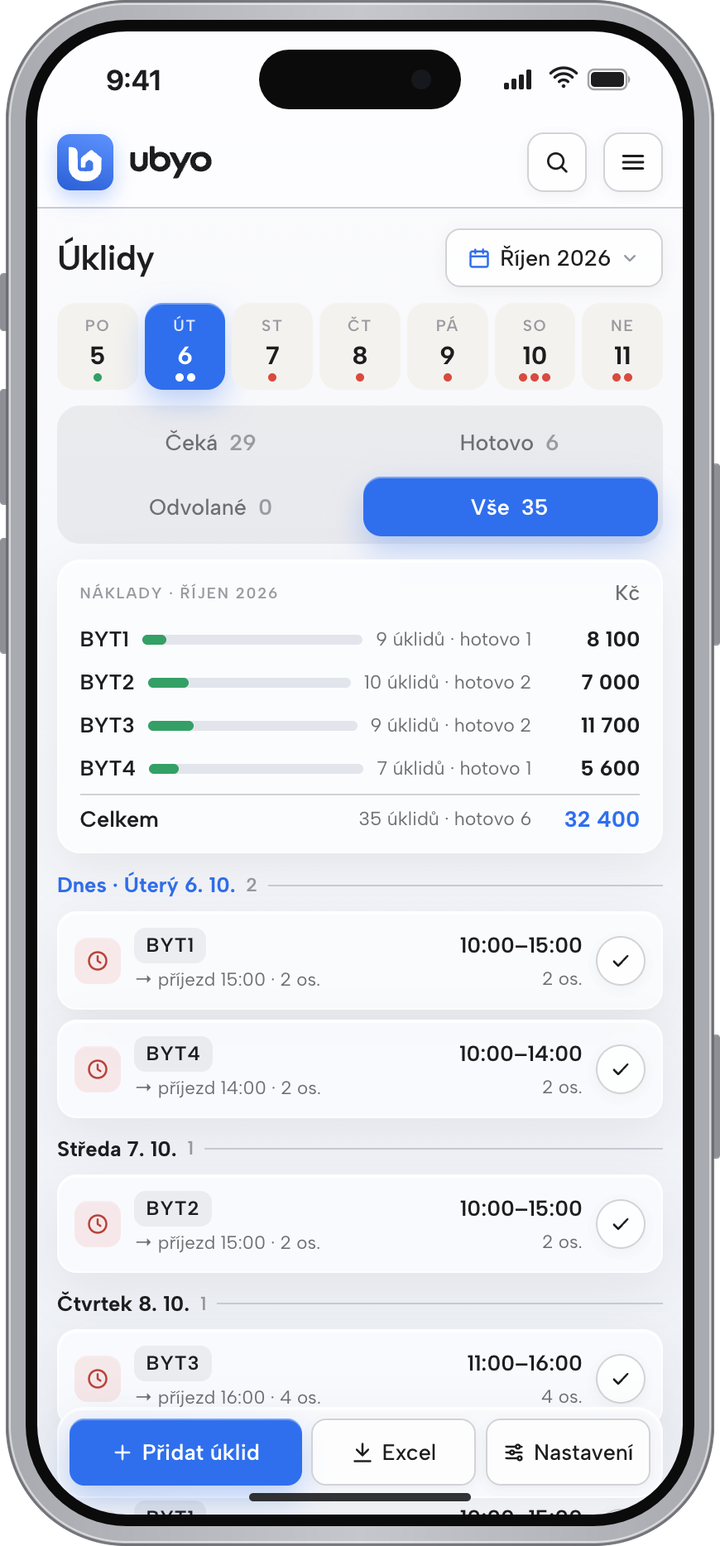
Cleanings are created automatically from departures and arrivals, with the window from check-out to check-in and the number of people from the guest registration. You add instructions and what to set out — a cot, extra bed linen.
The cleaning team has its own access and sees only its own cleanings. They confirm they are done and report a fault or linen running low, and the report shows up on your Dashboard. You see the cleaning costs by apartment and month, with an Excel export at the touch of a button.
Try it on a reservation of your own
Up to 14 days free on the full Pro plan. You start paying only when the trial ends.