← All featuresGuest check-in

The guest checks in on their own, from their phone, before arrival

An invitation with a link goes out from the reservation. The guest fills in the details, signs, and you retype nothing — the data goes straight to UbyPort and into both registers.

OperationsGuest check-inStatutory dutiesReports
Online check-in

A form any guest can handle

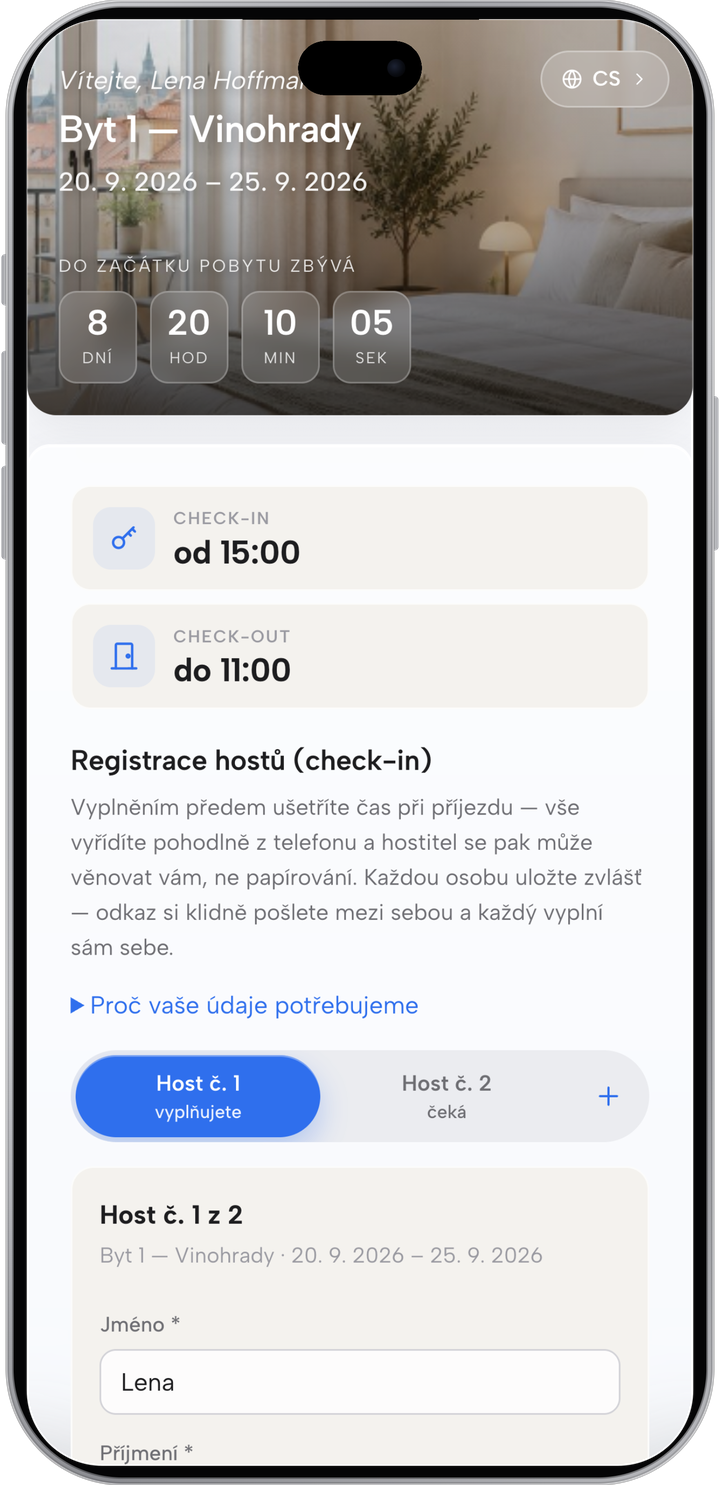
The guest opens the link from the invitation and fills in their details. They sign with a finger and send it. Each person fills in only themselves; guests can forward the link to one another.

The details are screened against the EU and Czech sanctions lists right away. If a guest does not fill them in, they get a reminder the day before arrival and you see a red “Not filled in” tag on the reservation. You can always add the details by hand.
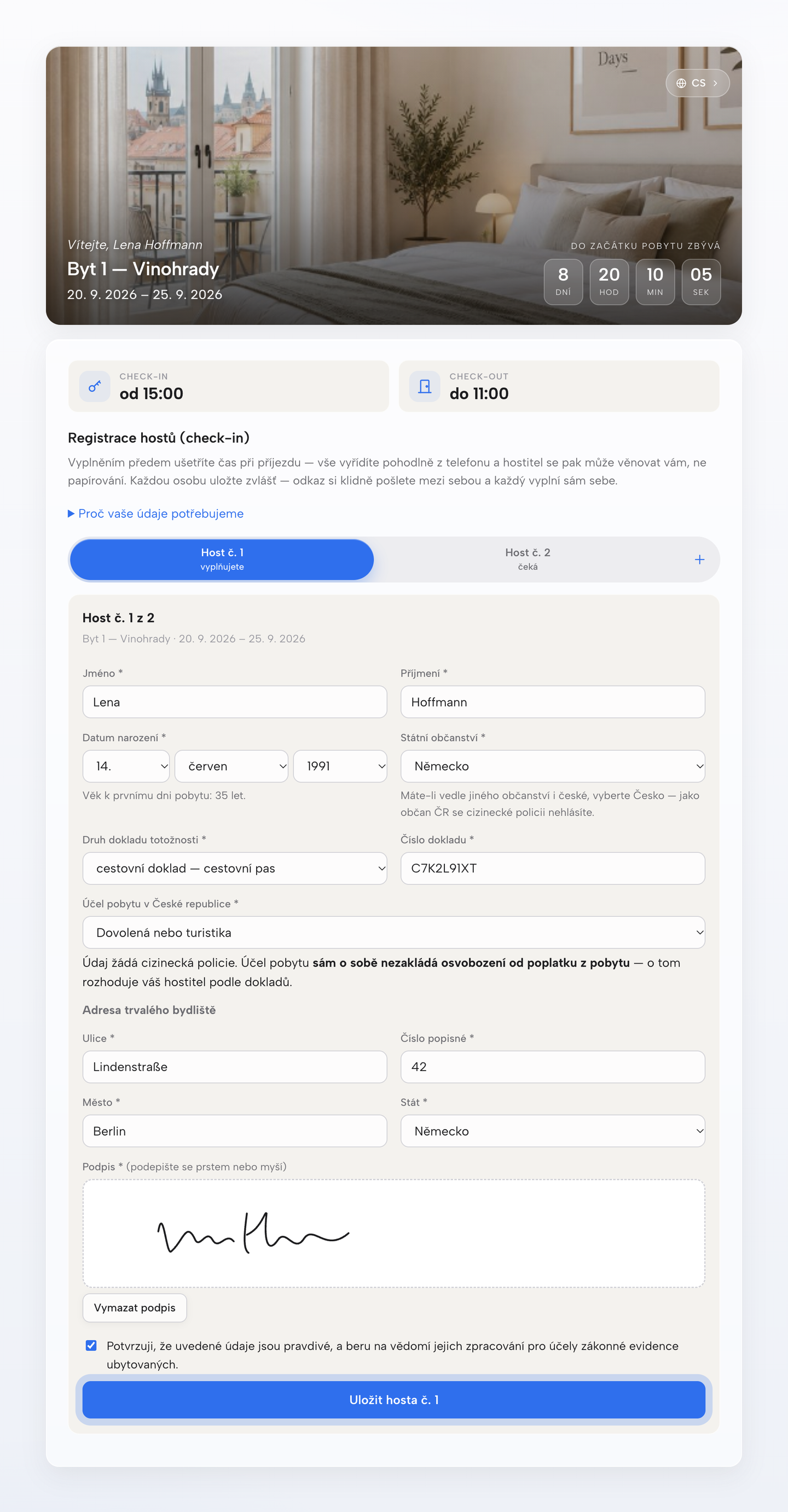
A form any guest can handle
Guest check-in on a phone
Guest portal on a computer
Guest portalPro

Everything about the guest’s stay in one place

Once the check-in form is filled in, the guest portal opens up. There the guest finds everything useful about the arrival, the keys, the Wi-Fi, tips for the area and much more. It saves you the endless repeated questions. The portal stays available for the whole stay, you see it unlocked as a tag next to the reservation, and you can edit it at any time.

The Pro plan also adds connections to Hospitable, Smoobu and Beds24 and messages to guests straight from Ubyo.

  • ✓The address and how to get there
  • ✓The keys and the keybox code
  • ✓Wi-Fi and the house rules
  • ✓Tips for the area, with photos
  • ✓Messages to guests from the app

Try it on a reservation of your own

Up to 14 days free on the full Pro plan. You start paying only when the trial ends.

Register for free Pricing
ubyo
← All features
02Guest check-in

The guest checks in on their own, from their phone, before arrival

An invitation with a link goes out from the reservation. The guest fills in the details, signs, and you retype nothing — the data goes straight to UbyPort and into both registers.

Operations Guest check-in Statutory duties Reports
Online check-in

A form any guest can handle

The guest opens the link from the invitation and fills in their details. They sign with a finger and send it. Each person fills in only themselves; guests can forward the link to one another.

The details are screened against the EU and Czech sanctions lists right away. If a guest does not fill them in, they get a reminder the day before arrival and you see a red “Not filled in” tag on the reservation. You can always add the details by hand.

Guest check-in on a computer
Guest check-in on a phone
Guest portalPro

Everything about the guest’s stay in one place

Once the check-in form is filled in, the guest portal opens up. There the guest finds everything useful about the arrival, the keys, the Wi-Fi, tips for the area and much more. It saves you the endless repeated questions. The portal stays available for the whole stay, you see it unlocked as a tag next to the reservation, and you can edit it at any time.

The Pro plan also adds connections to Hospitable, Smoobu and Beds24 and messages to guests straight from Ubyo.

  • ✓The address and how to get there
  • ✓The keys and the keybox code
  • ✓Wi-Fi and the house rules
  • ✓Tips for the area, with photos
  • ✓Messages to guests from the app
Guest portal on a computer

Try it on a reservation of your own

Up to 14 days free on the full Pro plan. You start paying only when the trial ends.

Register for free Pricing